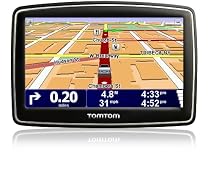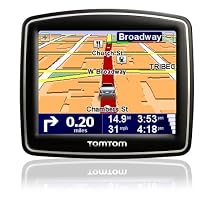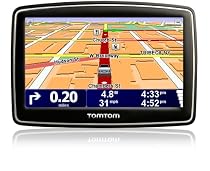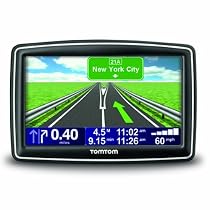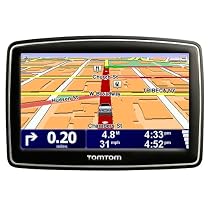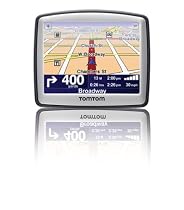
TomTom ONE 130 3.5-Inch Portable GPS Navigator


SAME GREAT TOMTOM NAME BUT NO REASON TO UPGRADE5

Here is the latest in TomTom technology. The TomTom 130. This latest development from TomTom will be perfect for first time GPS buyers who are looking for something simple compact and accurate. For previous owners of the TomTom One however this is no reason to upgrade.


The product itself is as close to perfection as I've seen in a basic GPS device hence the five star rating but then again so is the TomTom One 3rd edition that was released late last year. The TomTom 130 model is basically the TomTom One with a few minor upgrades. The most notable would be the new flip and fold mounting capability. Instead of the standard suction cup mount that TomTom owners are used to owning as a separate component (one that slides in and out of the back custom grooves of the TomTom itself) there is now an attached mount that folds into the unit for easy storage. This is convenient but in my opinion and like the other minor upgrades no reason to toss out your old TomTom One in exchange.


iPod has set the standard for a lot of electronic thresholds none being more noticeable than the size and depth of its products. To some it up...slim is in and the TomTom 130 is even slimmer than its big brother the TomTom One weighing in at a 6.1 ounces and only 1 inch in depth. Here are the some minor specs:


Unit Size: 3.8"H x 3.2"W x 1"D

Display Size: 3.5" (Diagonal)

Weight: 6.1 oz


Also worth noting is the TomTom 130 now boasts a 3 hour battery charge instead of the paltry 2 hour that left TomTom One owners completely dependent on the cigarette chargers in their cars. 3 hours isn't exactly a wealth of time but it is an improvement and a little more realistic.


Also included with the product is TomTom's exclusive Map Share feature that allows users to make their own map corrections and share them with other TomTom customers through their online connection using the TomTom Home software on their PC. This service is free of charge.


This has been the subject of some confusion among TomTom users and should be pointed out. Some customers mistakenly think the Map Share updates they receive are entire map upgrades. This is not so. Although TomTom does provide its customers with Map Share updates free of charge these only include minor map modifications such as dead end streets that weren't marked properly or points-of-interest that were marked out of place. These Map Share updates do not include the miles of new roads being built every year across America & Canada. In order to receive these major map updates customers will have to pay for them.


Of course the TomTom 130 will already come included with the latest Tele Atlas which is now version 720.1802 and although TomTom has major map upgrades throughout the year most customers (including myself) will be content with just paying for an upgrade once a year. This guarantees that you will always have the latest maps with the newest roads.


Like the TomTom One 3rd Edition the TomTom 130 comes with a "Help Me" button which when pressed opens features such as "Phone For Help" which displays emergency numbers for the current location (such as and typically 911) "Drive To Help" which show you the quickest way to the nearest police station or hospital and a "First Aid Guide" which is provided by the British Red Cross.


Also included in the safety features is an option to sound a custom alarm if any of the following occur:


1. When approaching a school or church

2. When driving faster than a set speed

3. When driving faster than allowed


The 130 still uses the same TomTom touch screen user-interface so prior TomTom users will already be familiar with the controls but with such a user friendly design even new customers will have the hang of it in no time. The screen is a bright 3.5 inch full TFT color LCD with 320 x 240 pixels that supports 64K colors.


For first time GPS buyers this unit is perfect because of its price portability latest maps outstanding user-interface and simplicity. For someone looking to upgrade to something a little more advanced try the TomTom 130S with text-to-speech capability (verbal pronunciation of street names).More detail ...

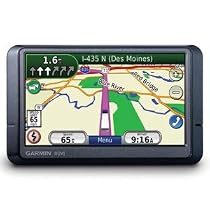
Garmin nuvi 465/465T 4.3-Inch Widescreen Bluetooth Truck GPS Navigator


Not Ready For Prime Time Yet2

The 465T is not quite there yet. It feels like a car gps with a couple truck features thrown in.


PROS:

Nice Display w/auto night/day.

Free Lifetime traffic.

Categorize your favorites.

Excellent signal reception.

Multiple vehicle profiles.

Bluetooth speakerphone.

Multistop routing.


CONS:

Favorites limited to 1000 entries.

Custom POI's are downright painful and can't be modified without a computer.

Can't route with a via only with stops.

Crashes alot if you aren't sticking to the route. (reboots quickly on its own though).

No way to filter out car only points of interest.

Can not rely on its route to be legal. (It has tried to route through truck restricted areas)

Missing many truckstops and weight stations and has no rest areas or designated parking locations.

Doesn't seem to use the weight limit settings.

And Many Many More....


SUMMARY:

If I'd known better I would have stuck with my TomTom One car GPS. It was more reliable and not nearly as expensive. If Garmin would fix the map truck data and add a couple of features like navigate via and turning off the car stuff it wouldn't be too bad. But as it stands now you should save your money and wait for something better. This is a very disappointing product. More detail ...

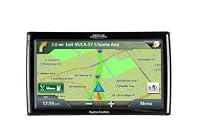
Magellan RoadMate 1700 7-Inch Widescreen Portable GPS Navigator


Roadmate 1700 - 7" display4

I bought this because I was interested in the larger display. We use it in a motorhome and both of us like to be able to see the GPS. Not so easy with a typical 3.5" unit. We previously owned a Maggelan unit and were happy with it but wanted a larger display.

This unit is almost idea the display is very clear it is easy to set up prior to a trip and it has no fluff that we have no need for like bluetooth MP3 player etc. It's a GPS not a multi-purpose unit. Which is what I want. I really like the lane change feature that's almost enough to make the new unit worthwhile by itself. So far it has worked flawlessly. The only downside is that it will not run very long without being plugged into 12V (30 min). I suspect because of the large display. But that's not really a issue since we have it plugged in all the time anyway. One feature I like is the small suction cup it takes much less dashboard/window real estate that our previous unit. We us a non-skid "pillow" most of the time but use the suction cup in the car and it's much easier to mount.


Just wanted to make a update - We now have a lot more miles on the clock using this unit. We had no issue with it being slow or not giving us enough time to react like another reviewer found. And I often need lots of time due to the length of our MH and car together. We didn't have any routing issues either. Guess that's why there are many different models and companies producing these things.


I have to give Amazon a plug as well. I looked at Best Buy and one other store they didn't even know this model existed. Amazon shipped it and I received it in less that 18 hours. We were on a one day stop while traveling. That's really good service.More detail ...

TomTom XL 340S 4.3-Inch Widescreen Portable GPS Navigator (Factory Refurbished)


better than expected!5

I had been skeptical in ordering a new gps. After having difficulty with the tomtom one i had bought a few years ago. tomtom xl 340s exceeded my expectations further than i could imagine. with updated maps and virtually no blackouts i would definitely recommend this product to anyone interested in a gps. More detail ...

TomTom ONE 140-S 3.5-Inch Portable GPS Navigator


Portable but not quite a best buy3

After a couple of long trips out into the country and a lot of in-city driving here are my conclusions (comparisons are to the Magellan 1440 and the Nuvi 660).


::::::::::::::::::::

What works well:

::::::::::::::::::::

1. In standard suburban driving I never once lost a signal. It takes about 25-50 seconds to find a signal on a cold start which is par for the course with other GPS units I've used.


2. The routing was pretty decent and got me to where I was trying to go. It was able to recover fairly quickly when I went off course and then re-plot a revised route fairly quickly.


3. The unit is tiny and literally fits in my front shirt pocket. I can see this as being a great walkabout unit.


4. You can charge the device from a computer or from a USB charger - a wonderful option when not using it in an automobile.


5. One touch volume change. Simply click and drag ... no need to click a separate OK button.


6. The coolest new feature with this device is its Demo mode. You simply input your target destination and then have it simulate a drive to that location. This worked great when I had to show a friend how to get to a location.


7. A speed limit warning beeps at you when you go over either a set driving speed or when you go over the speed limit for a highway. Unfortunately I could only get it to warn me on the freeway (where the speed limits are mostly well known.) However my Nuvi 660 works well even on most neighborhood streets.


8. There are a ton of safety features that can be turned on - such as audible warnings when you get near a school or place of worship. I'm not yet sure how useful this will turn out to be but its definitely a fun feature.


9. It provides lots of color schemes for both day and night displays. I just went with the defaults which were more than adequate. In particular the night time view is very clear and easy to read.


10. POIs are editable. In fact a lot about this device is user editable (incl. speed limits on streets street names etc.) This works for the occasional edit or error correction.


::::::::::::::::::::::::::::

What doesn't work well:

::::::::::::::::::::::::::::


1. The screen real estate is just way too cramped. Once you factor in all the "avionics" the map display ends up being cramped. I much prefer the roomier 1440. Of course I cannot slip the 1440 into a shirt pocket.


2. In my usage I regularly rely on good voice prompts. The 140-S lets you pick from either a "human" or a "computer" voice. This choice is a problem for me since one voice can speak street names while the other cannot. It's hard to imagine why the engineers felt that this choice was relevant especially since the text to speech feature loses it's value (at least to me) when street names cannot be spoken. Also depending on the voice I chose the units changed from feet (which I liked) to yards (which I had to mentally convert).


3. The speech is on par with my Nuvi 660 and not quite close to what the 1440 can do. The words often lose a syllable and sound clipped. This is slightly better than the 660.


4. The unit does not Power On the vehicle is turned on or Power Off when the vehicle is turned off. This is a biggie.


5. The Magellan 1440's Lane Assist is much more informative. On my commute there are at least 3 interchanges off of 494 to other highways. At each such major interchange it warns me about staying on the correct lane. The 140-S seems to do so only when it thinks there is potential for confusion. I'd much prefer the extra help esp. when in an unfamiliar city.


6. The screen is difficult to see in direct sunlight but its still slightly better than the Magellan 1440.


7. The mount folds neatly into the device and is very low profile. However when removing a GPS unit I almost always just unhook the device itself rather than taking along the whole mount I've yet to see why this may be a design advantage. In addition the low profile actually makes it harder to position in my Bracketron mount.


8. The USB connector seats in snug and then is really really hard to unplug. I thought I was going to damage the connector before it finally came off.


9. The POI database is very incomplete. It couldn't find either the Best Buy Walmart or Sam's Club in Woodbury MN. Even worse it placed the Oakdale Best Buy right in the middle of I-94.


10. Strange terminology - a "roundabout" becomes a "rotary".


11. The keyboard does not default to QWERTY - and I found that a bit hard to get used to until I discovered a preference that sets this mode.


:::::::::::::::

Conclusion:

:::::::::::::::

The screen size is fairly minuscule when compared to the 4.5" 1440. A key deciding factor is which you value higher portability or readability/usability. This wins on portability but I'd recommend a larger screen otherwise.


The 1440 is my gold standard for data entry voice prompts and lane assist; and the 140-S doesn't compare as well on those counts.


(Note that while other reviewers have complained about issues when updating this device - I haven't yet connected it to my computer.)


Updated July 29:

I have noticed that I cannot "click and drag" to scroll the map. Each click takes me to the routing screen. This is a major downside for my specific usage behavior. The 1440 by contrast scrolls like a dream.


Happy Driving!

-DamodarMore detail ...

TomTom XL 340 4.3-Inch Portable GPS Navigator


Nice GPS5

As soon as I bought it we went from MD to NJ so had no time to connect it to a PC and update it but out of the box it did everything it was supposed to and was fairly easy to use (this is my first GPS device that I have used).


The instructions that came with it were nothing special and I have since discovered more detailed ones online. I liked that the GPS had the speed we were going and the speed limit of the road you are on in a box at the bottom of the screen which turns red when you are going around 4.5 miles over the limit. One time it stated the limit as 55 when it was really 65 on the NJ turnpike but this was before doing a map update and in any case you can correct it on the device itself and the next time you connect to tomtom online it uploads that information to the general community as you have the option of accepting other people's corrections (you can limit it to when many people submit the same correction instead of trusting a single person's report and by default it will only accept Tomtom's officially confirmed corrections). We also loved the lane assist feature - it comes up nice and clear which lanes you should be in. 2 miles before a turn it already announces what you will be doing and it re-announces it when you get closer and closer. Adjusting the sound level is a 2 touch operation. You press the bottom left part of the screen (can't remember what the image is now) and it brings you straight to the volume level which also has a box checked that allows it to increase the volume with the speed your vehicle is going at which is nice.


The only glitch we had with the unit was that during the first start up we were setting the different options and when it got to where you choose the voice we began testing out each voice and then went back to the voice we wanted and when I hit the "test" button again I didn't hear anything but ignored that and selected the voice. After a while though it became apparent that we were not getting any voice despite the volume being on and up etc. I went in to the preferences and found the voice selection (the manual in the box was not detailed enough to tell how to do it but it was easy enough to find) and chose another voice which tested okay then reselected the one we wanted which also tested okay and selected it again and all was well.


When I got home I installed the Tomtom Home software from their website (it did not auto install after plugging it in to my PC which was good because it was better to use the latest version anyway - it can be updated after installing so don't worry about that). Whilst doing the maps update I did a little searching around and discovered that some people had a big problem doing the 1st update where there was not enough room on the device for it and it could potentially cause problems on the GPS. Thankfully it seems to be a problem that was fixed and the map update went well. But in line with some advise online I went into the device through windows explorer and did a copy and paste of the entire drive which represented the device pasted to my harddrive as a backup (the Tomtom home software can also do this for you except mine was updating so I couldn't use it yet). My only surprise was that it took over 5 hours to download the update! After that it gave me a screen full of other updates including the software on the GPS itself. I initially deselected the install of the "Dave" voice update that it wanted to download and install and all the rest went okay. After that though I decided to update the "Dave" voice too and after downloading it gave me an error that the GPS was too full to install it. I went to the Tomtom site and found the answer to installing it. You load the Tomtom Home software and you can click on "Manage my Device" on page 2 (click the arrow to go to next page of options) from there you can click on on the device and see what is on it and click what you don't want so space is freed up and you can back the files up and then remove them all from there (I removed all the foreign language voices for around an extra 80MB of free space ). After that installing the latest "Dave" voice went without a hitch. Since I don't use that voice I didn't really have to update it. Apparently the voices marked "computer" (generated) on the device will pronounce all the street names while the natural voices will not. It seems to have a lot of flexibility in being able to add your own list of POI's voices and many other things. You can also get through the Tomtom Home software many other POI's and stuff other people have provided for free.


So far I am pleased with the purchase and would recommend it to others though probably not at the recommended retail price (at that price you can get a deal on the Garmin 765T - which has many nice features including free traffic reports - not sure how that compares to Tomtom's IQ routes though. We bought ours on Black Friday for a significant price reduction).More detail ...

Magellan RoadMate 1412 4.3-Inch Widescreen Portable GPS Navigator


For $150 it's well worth the money4

Pros:

4.3 screen slim design good build quality nice screen nice graphics text-to-speech works well acquire signal fast uses Navteq map and routing works the way you would expect if you didn't have a GPS and had to map the route yoursself no round-around routing has 4 routing options fastest shortest maximum freeway minimum freeway a compass is built-in and shown in the upper left corner plenty of POIs 6 million of them good quality windshield mount


This model locks in signal EXTREMELY FAST and it works indoors too


The first time you use you may notice some screen sluggishness but after that it's very responsive my take is that it might have to do with some kind of first-time initialization


Cons:

No home AC adapter only car adapter windshield mount arm is a little short a bit heavier than most other GPS but probably due to the case but this should not be viewed as a negative


I picked this up at Costco with a $50 off coupon and at $150 this is one of the few GPS on the market that offer text-to-speech Navteq map and 6 mil POIs. This model uses the Centrality Atlas III GPS chipset which is considered to be even better than the SIRF III chipsetMore detail ...

TomTom XXL 540S 5-Inch Widescreen Portable GPS Navigator


Still needs many improvements to make it a great gps unit3

I bought the TomTom XXL 540S a few weeks ago. This gps is the big brother to the TomTom XL 340S. This gps just has the bigger and brighter 5" screen.


I have very mixed feelings about the gps. There are many things that I like about it but there are also so many small details and functions that are lacking on it that TomTom either decided not to work on or decided to exclude. These little things that are missing drive me absolutely crazy at times and I don't know if I can stand them or not. I may consider returning this gps and getting either a Garmin or Magellan instead. I don't know yet. I really hope TomTom starts addressing some of these issues.


Some of my pros vs cons are below which I hope will help others who are trying to decide on a gps.


Pros:


+ IQ Routes (TomTom uses historical speed data for roads based on the time of day and day of the week so that it can give you the best possible route)

+ Big 5" Screen which is easy to see.

+ Very loud speaker. (Option in Volume Preferences to link the volume to your cars speed if you want)

+ Satellite acquition is fast (less than 10 sec for me). Shows usually around 9 satellites.

+ Map Color can be changed.

+ Can change the color of the car symbol in 3D mode

+ Auto Day/Night mode changes the brightness and color.

+ Ability to prepare a route with any Depart and Destination coordinates.


+ Shows the current street that your on at the bottom of the screen and the next street to turn on in the top right corner.


+ Advanced Lane Guidance on the highway is displayed really nicely. Shows an arrow with the lane that you need to be in and also sometimes shows a 3D sign for your exit. It is nice and big and it stays on the screen long enough to be viewed so that its clear to see where you need to go.


+ Status bar can be customized to how you like it. It can be displayed either horizontally or vertically. Can show the remaining time remaining distance current time arrival time your speed and the speed limit distance to your next turn compass ect.


+ TTS (text to speech) instructions are very helpful in letting you know where to turn and also preparing you for your next turn as well. For instance it will say something like "After one qurter mile turn right". Then as you get closer to the street it will say "Turn right Main St. Then take the second left"


Cons:


- POI (Points of Interest) Map Screen shows the POI name street and cross street phone city and state. But it gives NO street addresses! So you don't know the address or what side of the street the POI is on unless you call the place ahead of time and ask. All you get is a checkered flag shown in the middle of the street with TomTom saying "you have reached your final destination". On the Go model the POI Map Screen has a "Details" button that shows the street address zip code and food cuisine type for instance. Why TomTom decided to remove this on this model I have no idea.


- No AutoZoom enable/disable option (like on the Go model). You can manually zoom in or out on the map but about 5 sec later AutoZoom will kick in and take you right back to what TomTom wants you to see. Its very frustrating because I like to zoom in and out sometimes so that I can see more map detail but TomTom won't allow me to for anymore then about 5 sec. When I turn on the gps the zoom level that TomTom has picked is so bad that most all of the street outlines around me have completely vanished from the screen. All that I see are a bunch of street names just floating around on the map with no streets being shown.


- Doesn't speak which side of the street your destination is on. (If you enter a street address for a destination however it does show a little arrow on the map pointing to the left or right hand side of the street when you are approaching your destination. Along with a little checkered flag on the side of the street your destination is on.)


- Change Preferences screen is 6 pages deep and only has a button to advance foward to the next page. There is no back button. So if you say accidently go past the screen you wanted to be on you have to then press the foward button 5 more times just to get back to that page.


- No simple way to get into the Browse as Text turn lists display from the main screen.


- Browse as Text route instructions the text and arrows for the turn list is just way to small. Also there is no Auto Scroll function. To view the next page of new upcoming turns you have to scroll down the list manually yourself.


- POI Map Screen in Night mode shows the cross street text in black which is extremely difficult to see unless you get very close to the screen.


- 3D mode during the day the maps background brightness isn't consistent across the whole screen. There are noticable lines across the screen where you can see the various brightness stages. Towards the bottom of the map its the brightest and then as you pan up the screen it gets slightly darker.


- Can't enter the street name untill after you have entered the city. Its bad news if you know the street but unsure of the city. You should be able to search for the street in any city near you or near the city that you entered (if it was incorrect).


- TTS (text to speech) of multiword street names sounds sometimes garbled.

- TTS pronounces some words and streets pretty poorly.

- Can't change the color of the car symbol in 2D mode.

- Can't search restaurants by cuisine type.

- No MicroSD memory card slot for expansion. Room is pretty tight with only 2GB of internal flash memory. After removing all of the voices except for computer voice Susan and removing most of the car symbols. I still only have 105mb of space free remaining.

- Only supports USB 1.1 transfers. So when you install maps or performing backups its very slow.


Miscellaneous info: gps chipset on mine was a GL2 BCM4750 (Global Locate 2) The CPU speed is 266MHZ. 64MB of RAM.More detail ...

TomTom XL 340-S 4.3-Inch Portable GPS Navigator


great unit but there are things you need to know.5

just received my new GPS today plugged it into my mac and installed tomtom's mac version of their home software. everything has worked well so far and the free map update installed fine. there are two main things that purchasers need to know:


1) space is very limited on the device. there is only 2 GB of internal flash memory and out of the box there was less than 50 MB free. the very first thing you should do is to delete voices in languages you don't use. this will free up a couple/three hundred MB. they can get backed up to your computer so you could always put them back in the future. once a bit of space is freed up you'll be able to update the device without issue. after removing spanish and french voices running update which installed a new dave voice and then installing the free map update i was left with 89 MB free. when i tried to run update before removing the voices the unit warned me about lack of space and aborted without creating any further problems. maybe the mac version of home is more robust than the windows one in this respect.


2) the device only supports USB 1.1 transfers which max out at a bit over 1 MB/sec and can be slower. so doing a full backup or a map update will take quite a while (1-2 hours) and this is normal.


for me those limitations are more than offset by the large bright screen text2speech capability crowd-sourced map/route updates and cheaper southern africa maps (we're moving there soon). especially given the cheap sale price i found. i will provide updates as i put unit through paces on cross-country trip and then intercontinental move.....More detail ...

Magellan Maestro 4700 4.7-Inch Widescreen Bluetooth Portable GPS Navigator


A Good Navigational Tool4

With an occupation that keeps me on the road a working navigational tool is a must have. Having gone through my fair share of slow and inconsistent GPS products ranging from Garmin TomTom and yes even Magellan through the years one must really do their homework. After researching several systems this model kept popping up on my radar screen.


Coming out of the box this unit worked perfectly without the usual hiccups of other systems that I have owned. Installation is simple. Downloading updates via the included USB cable was quick and without issues. Powering up is a breeze. Total time for entering starting point to destination is about 45 seconds. The One Touch screen is on the money. The menu allows for editing for one's own personal choices. I really have come to like the Predictive Traffic feature. In short it creates alternate routes for known traffic tie ups.


Even though this system is primed for Bluetooth not all mobile devices are compatible. The Maestro 4700 paired at times with two out of three of our cell phones. When it did pair connections were dropped a bit more often then expected and clarity was an issue. As usual my personal phone did not pair up at all with this system. Maybe its a great working feature with the right phone. Even if it did pair up with my go to phone I don't see myself giving up my wireless ear piece anytime soon. This feature rates 3 stars at best.


Like every GPS system before it Voice Command on this unit is simply a wasted feature that works when it wants to. This add on alone receives a failing grade from me. On the other hand Spoken Street Name Guide with text to speech is clear and precise. The 3D Landmarks add on is a nice touch. I have yet to use the Find My Car feature. The free no membership required AAA Guide is loaded with great up to date information.


The Maestro 4700 measures in at over 5" wide x 3.5" height and weighs about 6 ounces. The biggest draw for me personally is the large 4.7" color touch screen predictive traffic and the lane guide arrow features. Unlike previous models that I have owned the Maestro 4700's screen is viewable in all lighting conditions. The user friendly one touch interface is definitely a winner.


Quick Spell automatically fills in the blanks and makes locating a destination easy. One of the sweetest features is the lane guide arrows (Highway Lane Assist) program that sounds a bell when my next turn is coming up. It quickly guides me into the correct lane without the usual "Oops how did I miss that exit?"


The Maestro 4700 comes preloaded with maps of the USA Canada and Puerto Rico. Additional maps can be stored on board via SD Card. Included accessories are a windshield mount storage pouch dash mounting disk car power adapter handbook USB cable and an informative CD. I recommend buying a good protective case. Magellan loses major style points for not including an AC power supply plug. Unplugged the battery provided me a little over 2 hours of power.


As with most electronics this system includes the standard 1 year warranty. If it is returned within the applicable warranty period Magellan will replace the defective unit. Most likely the buyer will receive a reconditioned unit of the same model or at the company's discretion another model of lesser value. I know this from personal experience. Both Magellan and Garman share this replacement policy.


Even though Magellan has made marked improvements on its GPS products the last couple of years its customer support has always lagged behind. After my latest chats with off shore customer support all I can say it still needs improvement. At best it ranks three stars.


The glitches I found with both Voice Command and Bluetooth pairing undoubtedly keeps the Maestro 4700 from garnering more then a four star rating. Even with those issues this product still delivers on the basics. For me that is more then enough. Its still an above average NAVAIDS tool.


***************

UPDATE:10.31.09

***************

I've owned this system for a few months now. I've driven cross country and back and also made my monthly run up the coast. The only issue that I have had is the age old problem with NAVTEQ maps. On more then one occasion the maps placed me in the opposite direction of my destination. I don't see the folks at NAVTEQ fixing this problem any time soon because it has existed for so long. NAVTEQ mapping was an issue on my other GPS products as well. I probably have a better chance of winning the lottery rather then waiting for the folks at NAVTEQ to fix their maps. Other then that my Magellan 4700 GPS is still on the job and doing what it does best. More detail ...