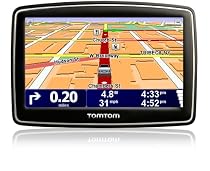
Nice GPS

As soon as I bought it we went from MD to NJ so had no time to connect it to a PC and update it but out of the box it did everything it was supposed to and was fairly easy to use (this is my first GPS device that I have used).
The instructions that came with it were nothing special and I have since discovered more detailed ones online. I liked that the GPS had the speed we were going and the speed limit of the road you are on in a box at the bottom of the screen which turns red when you are going around 4.5 miles over the limit. One time it stated the limit as 55 when it was really 65 on the NJ turnpike but this was before doing a map update and in any case you can correct it on the device itself and the next time you connect to tomtom online it uploads that information to the general community as you have the option of accepting other people's corrections (you can limit it to when many people submit the same correction instead of trusting a single person's report and by default it will only accept Tomtom's officially confirmed corrections). We also loved the lane assist feature - it comes up nice and clear which lanes you should be in. 2 miles before a turn it already announces what you will be doing and it re-announces it when you get closer and closer. Adjusting the sound level is a 2 touch operation. You press the bottom left part of the screen (can't remember what the image is now) and it brings you straight to the volume level which also has a box checked that allows it to increase the volume with the speed your vehicle is going at which is nice.
The only glitch we had with the unit was that during the first start up we were setting the different options and when it got to where you choose the voice we began testing out each voice and then went back to the voice we wanted and when I hit the "test" button again I didn't hear anything but ignored that and selected the voice. After a while though it became apparent that we were not getting any voice despite the volume being on and up etc. I went in to the preferences and found the voice selection (the manual in the box was not detailed enough to tell how to do it but it was easy enough to find) and chose another voice which tested okay then reselected the one we wanted which also tested okay and selected it again and all was well.
When I got home I installed the Tomtom Home software from their website (it did not auto install after plugging it in to my PC which was good because it was better to use the latest version anyway - it can be updated after installing so don't worry about that). Whilst doing the maps update I did a little searching around and discovered that some people had a big problem doing the 1st update where there was not enough room on the device for it and it could potentially cause problems on the GPS. Thankfully it seems to be a problem that was fixed and the map update went well. But in line with some advise online I went into the device through windows explorer and did a copy and paste of the entire drive which represented the device pasted to my harddrive as a backup (the Tomtom home software can also do this for you except mine was updating so I couldn't use it yet). My only surprise was that it took over 5 hours to download the update! After that it gave me a screen full of other updates including the software on the GPS itself. I initially deselected the install of the "Dave" voice update that it wanted to download and install and all the rest went okay. After that though I decided to update the "Dave" voice too and after downloading it gave me an error that the GPS was too full to install it. I went to the Tomtom site and found the answer to installing it. You load the Tomtom Home software and you can click on "Manage my Device" on page 2 (click the arrow to go to next page of options) from there you can click on on the device and see what is on it and click what you don't want so space is freed up and you can back the files up and then remove them all from there (I removed all the foreign language voices for around an extra 80MB of free space ). After that installing the latest "Dave" voice went without a hitch. Since I don't use that voice I didn't really have to update it. Apparently the voices marked "computer" (generated) on the device will pronounce all the street names while the natural voices will not. It seems to have a lot of flexibility in being able to add your own list of POI's voices and many other things. You can also get through the Tomtom Home software many other POI's and stuff other people have provided for free.
So far I am pleased with the purchase and would recommend it to others though probably not at the recommended retail price (at that price you can get a deal on the Garmin 765T - which has many nice features including free traffic reports - not sure how that compares to Tomtom's IQ routes though. We bought ours on Black Friday for a significant price reduction).More detail ...


0 comments:
Post a Comment